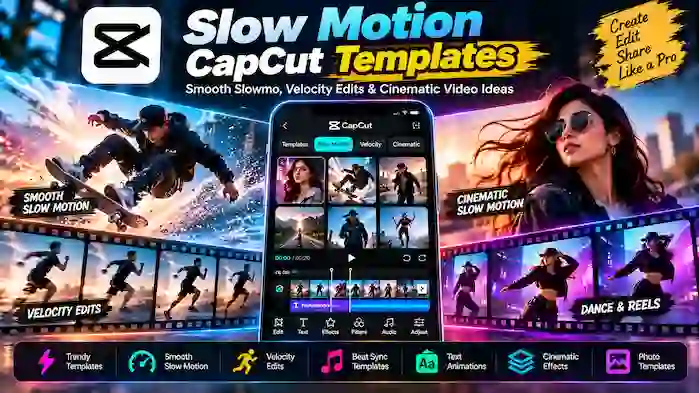
Slow motion CapCut templates make it easier to create dramatic and smooth video edits without manually building every speed change, transition, and effect. A suitable template can automatically organize clips around slow-motion sections, music timing, transitions, and visual effects.
Slow-motion editing is popular for sports clips, travel videos, portraits, dance footage, fashion edits, cinematic scenes, and short-form social media content. This guide explains how slow-motion CapCut Pro templates work, popular styles, how to choose the right template, and how to get better results from your footage.
What Is a Slow Motion CapCut Template?
A slow motion CapCut template is a pre-designed video editing structure that uses speed changes or slow-motion effects as an important part of the edit.
A template may include:
- Slow-motion sections
- Speed changes
- Transitions
- Music synchronization
- Zoom effects
- Motion effects
- Filters
- Text animation
- Beat-based timing
Instead of manually creating each speed change, users can start with the template and add their own videos or photos.
Why Use Slow Motion CapCut Templates?
Slow-motion templates can save time while providing a consistent editing style.
They are useful when you want to:
- Create cinematic edits
- Highlight movement
- Make sports clips more dramatic
- Create Reels and Shorts
- Edit dance videos
- Create travel montages
- Make fashion edits
- Synchronize movement with music
A template provides the structure while your footage determines the final look.
Popular Slow Motion CapCut Template Styles
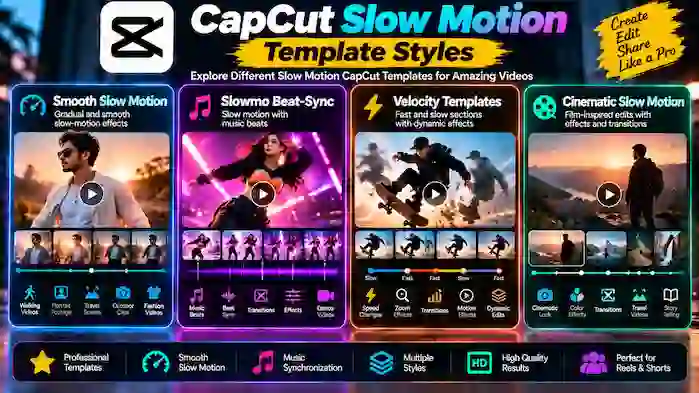
Different slow-motion styles work better for different types of footage.
Smooth Slow Motion
Smooth slow-motion templates create gradual speed changes rather than sudden jumps.
They can work well for:
- Walking videos
- Portrait footage
- Travel scenes
- Outdoor clips
- Fashion videos
Slowmo Beat-Sync Templates
These templates combine slow-motion sections with music beats.
A clip may slow down during one part of the soundtrack and return to normal speed when the rhythm changes.
Slow Motion Velocity Templates
Velocity templates combine fast and slow sections.
The contrast between speeds can create a dynamic editing style.
Cinematic Slow Motion Templates
Cinematic templates often use slower pacing, transitions, color effects, and music to create a film-inspired look.
They can work well for landscapes, travel videos, portraits, and storytelling.
Slow Motion Reels Templates
Short vertical videos can use slow-motion templates to emphasize a specific moment.
They are useful for Instagram Reels, YouTube Shorts, and other short-form formats.
Slow Motion Photo Templates
Some templates combine photos with animated movement and slow transitions.
These can be useful for memories, events, travel albums, and personal video projects.
Slow Motion CapCut Template for Sports
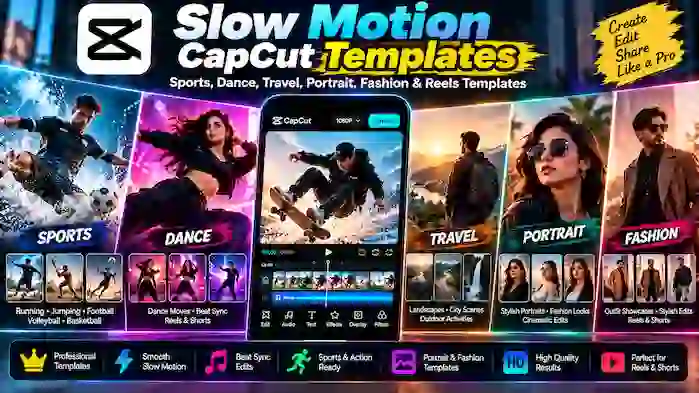
Sports footage is a natural fit for slow motion because it can highlight movement that happens too quickly at normal speed.
Useful clips can include:
- Running
- Jumping
- Ball movement
- Celebrations
- Training
- Volleyball
- Football
- Basketball
Choose footage with clear movement and enough visual detail for the slow-motion effect to remain interesting.
Slow Motion CapCut Template for Dance Videos
Dance videos can benefit from carefully timed speed changes.
A template may slow down a particular movement and then return to normal speed in synchronization with the music.
When selecting clips, choose footage where the dancer remains visible and the movement is not hidden by excessive effects.
Slow Motion CapCut Template for Travel Videos
Travel footage can look more cinematic when important moments are slowed down.
Examples include:
- Walking through a location
- Waves and water
- Landscapes
- Vehicles
- Outdoor activities
- City scenes
- Scenic views
Use slow motion selectively so the final video maintains a natural pace.
Slow Motion CapCut Template for Portrait Videos
Portrait footage can use slow motion to emphasize movement, clothing, expressions, or environmental details.
A simple template can often be more effective than one containing too many effects.
Choose a template that keeps the subject clear and avoids excessive visual distractions.
Slow Motion CapCut Template for Fashion Videos
Fashion edits often use slow motion to highlight movement, clothing details, transitions, and poses.
A suitable template can combine:
- Slow motion
- Zoom effects
- Beat synchronization
- Color adjustments
- Transitions
- Text
Select footage that is stable and well lit for better results.
Slow Motion CapCut Template for Instagram Reels
Instagram Reels are a popular format for slow-motion edits.
When creating a Reel, consider:
- Vertical video
- Strong opening footage
- Clear subject
- Short clips
- Suitable music
- Smooth speed changes
- Appropriate export quality
Avoid slowing every part of the video. Selective slow motion often creates more impact.
Slow Motion CapCut Template for YouTube Shorts
Slow-motion templates can also be used for YouTube Shorts.
They work particularly well for:
- Sports moments
- Gaming highlights
- Dance clips
- Travel scenes
- Action footage
- Before-and-after edits
Keep the edit concise and make sure the slow-motion section contributes to the video’s main idea.
How to Find Slow Motion CapCut Templates
You can search for slow-motion templates using specific keywords.
Useful searches include:
- Slow motion CapCut template
- CapCut slow motion template
- Slowmo CapCut template
- Smooth slow motion CapCut template
- Slow motion CapCut template new trend
- CapCut velocity slow motion template
- CapCut slow motion Reel template
- Slow motion video template CapCut
Adding a specific style to your search can make it easier to find the right template.
How to Choose a Slow Motion CapCut Template
Check Your Footage
Not every video looks good in slow motion.
Footage with clear movement is usually easier to use than footage with very little action.
Check the Number of Clips
Some templates require several videos, while others focus on a single clip.
Review the Speed Changes
Watch the complete preview before selecting a template. Make sure the speed pattern matches the type of footage you have.
Check the Music
Some templates depend heavily on music timing.
Choose a template where the rhythm suits your content.
Consider the Effects
Select a design that improves your footage rather than covering it with unnecessary effects.
How to Use a Slow Motion CapCut Template
The exact interface can vary by CapCut version and platform, but the general process is:
- Find a suitable slow-motion template.
- Open it through the supported CapCut experience.
- Check the required number of clips.
- Select suitable videos or photos.
- Add your media to the template.
- Preview the generated edit.
- Adjust available text or other elements.
- Review the slow-motion timing.
- Export the completed video.
Always preview the complete video before publishing it.
How to Make Slow Motion Smoother
The quality of slow motion depends partly on the original footage.
For better results:
- Use clear video.
- Avoid heavily compressed clips.
- Record with suitable frame rates when possible.
- Keep the camera stable.
- Choose footage with visible movement.
- Avoid slowing down every scene.
- Review transitions carefully.
A good source clip can make a simple template look much better.
Slow Motion vs Velocity Editing
These styles are related but not identical.
Slow motion focuses on reducing playback speed to emphasize movement.
Velocity editing usually combines multiple speed levels, moving between fast and slow sections.
| Slow Motion | Velocity |
| Focuses on slower playback | Combines multiple speeds |
| Often smoother | More dynamic |
| Good for cinematic moments | Good for energetic edits |
| Can be subtle | Often more dramatic |
| Works with longer moments | Often synchronized with beats |
A template can also combine both approaches.
Slow Motion CapCut Templates and Music
Music can make a slow-motion edit feel more synchronized.
For example, a template may slow the video during a specific part of the soundtrack and return to normal speed when the beat changes.
When choosing music-based templates, pay attention to:
- Beat timing
- Song structure
- Clip duration
- Speed changes
- Transition timing
Use audio that is appropriate for your intended platform and content.
Slow Motion CapCut Templates and Effects
Effects can enhance slow-motion footage, but too many can make the video difficult to watch.
Common visual elements include:
- Zoom
- Blur
- Glow
- Motion effects
- Color adjustments
- Light effects
- Transitions
The best combination depends on the subject and style of the video.
Slow Motion CapCut Templates for Photo Edits
Slow transitions can also be used with photos.
A photo template may create a gentle sequence using:
- Zoom
- Pan effects
- Fade transitions
- Music
- Text
- Slow timing
This style can work well for memories, travel photos, events, and personal projects.
New Slow Motion CapCut Templates
Users often search for new slow-motion templates because editing trends change frequently.
A new template may introduce:
- A different speed pattern
- New transitions
- A popular song
- New visual effects
- A new social media trend
However, newer does not automatically mean better. Choose the template that fits your footage and message.
Smooth Slow Motion CapCut Template New Trend
The phrase smooth slow motion CapCut template new trend generally refers to templates that combine smooth speed changes with current editing styles.
These templates can be useful for short-form content where the goal is to make movement appear more polished.
Before choosing one, check the preview and make sure the template matches the type of footage you have.
Slow Motion CapCut Templates for Different Platforms
Instagram Reels
Use vertical templates with concise timing and clear visuals.
YouTube Shorts
Choose templates that highlight a specific moment without making the video unnecessarily long.
TikTok-Style Videos
Fast transitions combined with selective slow motion can create a dynamic short-form edit.
Facebook Videos
Photo montages and short cinematic edits can also work well with slow-motion templates.
Slow Motion CapCut Template Download
Users may search for slow motion CapCut template download when they want to save or access a particular template.
Template availability can depend on the CapCut version, platform, account, region, and creator settings.
Use supported CapCut template features whenever possible instead of downloading unknown files from third-party websites.
Slow Motion Template Links
Some creators share links that open specific templates in CapCut.
Before using a shared link, verify that it leads to the expected CapCut experience.
Avoid links that ask for:
- Account passwords
- Unnecessary personal information
- Unknown software installations
- Modified APKs
- Suspicious verification steps
Slow Motion CapCut Templates and Pro
Some slow-motion templates or related resources may be associated with Pro features.
If a template requires Pro access, use the official CapCut application and an eligible account rather than relying on modified applications.
Pro availability can vary by region, version, and subscription.
Common Slow Motion Template Problems
The Video Looks Choppy
Choppy slow motion can result from source footage, device performance, export settings, or the way the speed effect is applied.
The Template Does Not Match Your Clip
Templates are designed around specific timing. A different clip may produce a different visual result.
The Music Is Unavailable
Audio availability can vary by region, licensing, platform, or template changes.
The Template Is No Longer Available
Templates can disappear or become unavailable because of creator settings, service changes, or regional restrictions.
The Slow Motion Looks Too Strong
If customization options are available, reduce the intensity of speed changes or choose a template with a more natural pace.
Tips for Better Slow Motion Videos
To improve your final edit:
- Choose footage with clear movement.
- Use a suitable template.
- Keep slow-motion sections purposeful.
- Match speed changes to the music.
- Avoid excessive effects.
- Check the subject remains visible.
- Preview the full video before export.
- Use suitable export settings.
Frequently Asked Questions
What is a slow motion CapCut template?
A slow motion CapCut template is a pre-designed video editing structure that uses slow-motion effects, speed changes, transitions, and other elements to create a specific editing style.
How do I find slow motion CapCut templates?
Search CapCut’s supported template experience using terms such as slow motion, slowmo, smooth slow motion, or velocity.
Are slow motion CapCut templates free?
Availability varies by template. Many templates can be used without separate payment, while some resources may require Pro access.
Can I use slow motion templates for Instagram Reels?
Yes. Many slow-motion templates are suitable for vertical short-form videos such as Instagram Reels.
What is the difference between slow motion and velocity?
Slow motion mainly reduces playback speed, while velocity editing combines multiple speed levels, often moving between fast and slow sections.
Can I use slow motion templates for sports videos?
Yes. Sports footage can work particularly well because slow motion can emphasize movement and important moments.
Why does my slow-motion video look choppy?
The result can depend on the original footage, frame rate, device performance, speed settings, and export configuration.
Do I need CapCut Pro for slow-motion templates?
Not necessarily. Some slow-motion templates may be available without Pro, while certain premium resources may require an eligible Pro account.
Conclusion
Slow motion CapCut templates provide a convenient way to create cinematic, dramatic, and rhythm-based video edits without manually building every speed change.
They can be useful for sports, dance, travel, fashion, portraits, gaming, photo montages, Reels, and Shorts. The key is to choose footage that naturally supports slow motion and select a template that matches the video’s purpose.
For the best results, use clear source footage, keep speed changes purposeful, synchronize important moments with music, and avoid unnecessary effects. Templates should provide the structure while your original content gives the video its personality.